Email to coach chat, mobile share and connect your AI - version 2.7.0 is out!

Simon
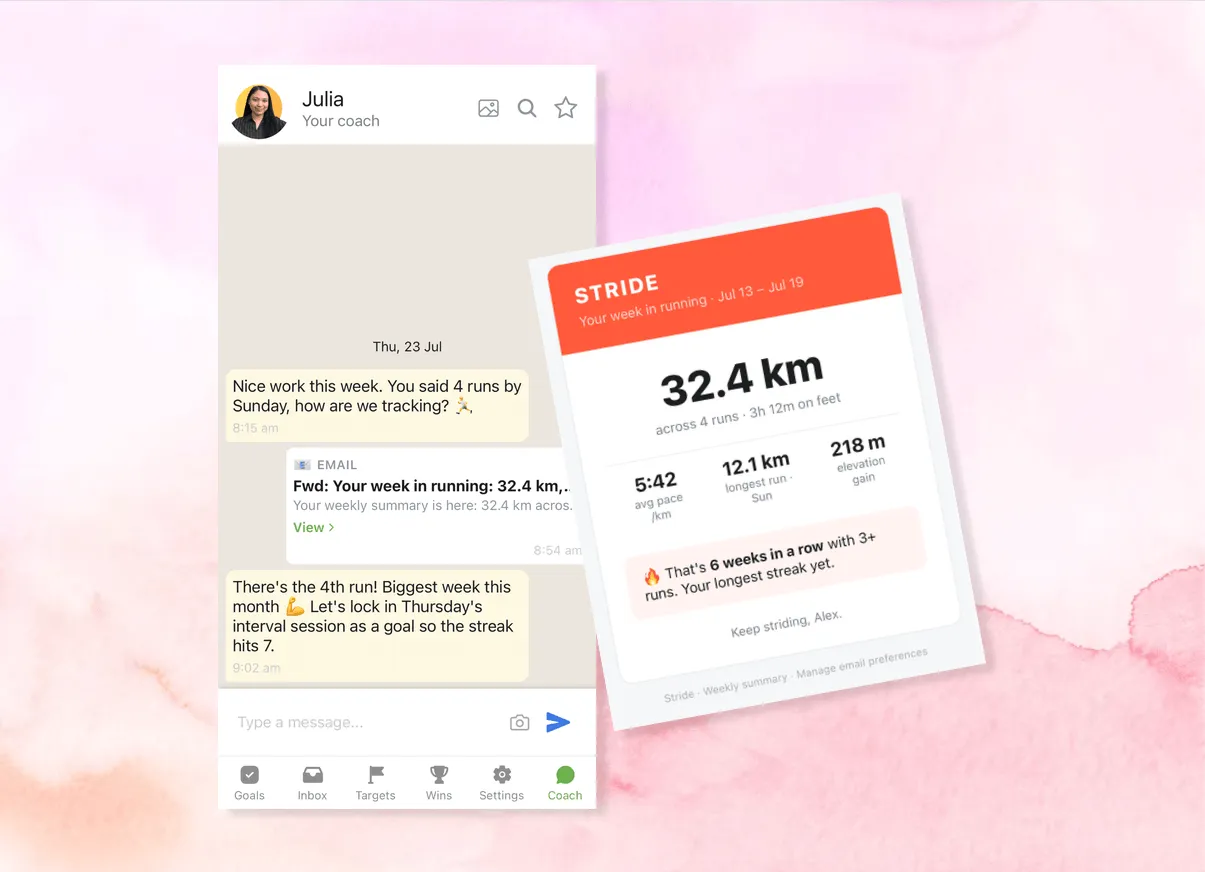
Our new version has rolled out on iOS, Android and web. Here are the highlights:
Email to coach chat 📧
You know that newsletter you keep meaning to act on? Or the weekly report from your fitness app that nobody but you ever sees?
Forward it to inbox@goalswon.com and it lands right in your coach chat.
Your coach sees it, and you stay accountable to it.
It works with auto-forward rules too.
That way your screen-time report reaches your coach every time without you needing to do anything. If you don’t know how to set it up, your coach can guide you.
One thing to know: send it from the email address you use for GoalsWon, that’s how we know it’s you (you can add more addresses in Settings).
Mobile share to your coach 📤
Screenshot in your gallery you want your coach to see?
Tap your phone’s share button, pick GoalsWon, and it goes straight to your coach chat.
Text, links, screenshots, pics all work.
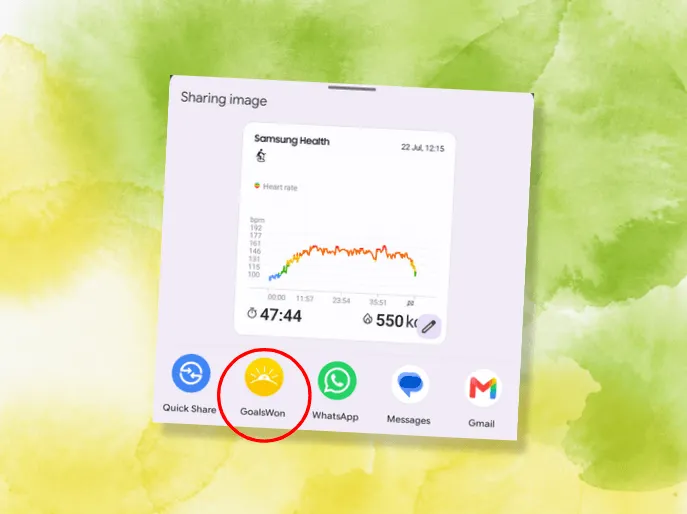
All those “I’ll tell my coach later” moments now take two taps.
Connect your AI 💡
If you use Claude, Gemini, ChatGPT or other AI you can now connect it to GoalsWon.
Head to Settings, copy the setup prompt, and your AI can add goals and targets, share things to your human coach, check progress and more.
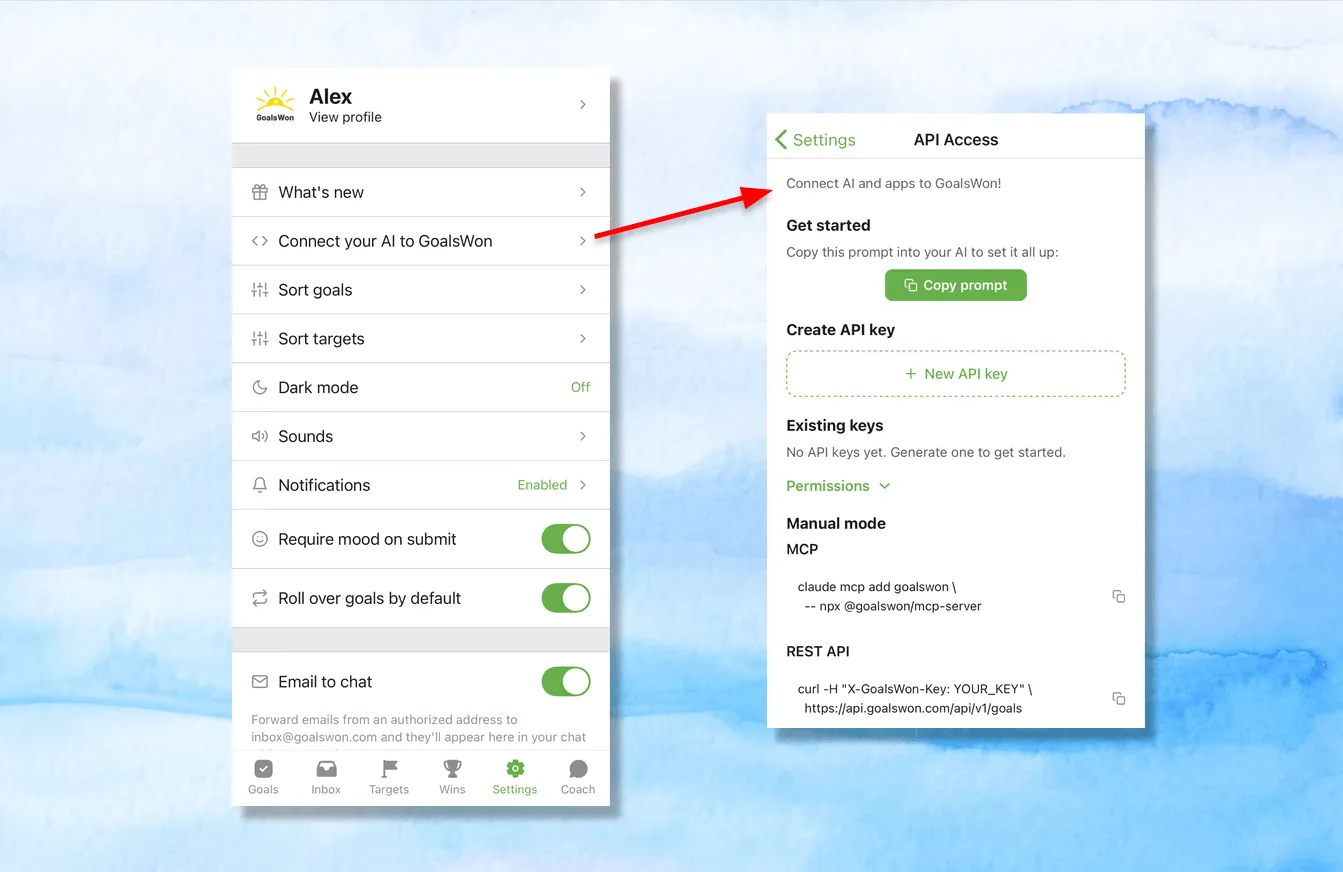
We’ve included example prompts as well to get inspired: a daily sync from your other apps, a journal trigger, a morning briefing… and yes, one that sets up email forwarding for you.
Human accountability, that works with you and your AI 😄
And the rest
”Submit day” is now “Wrap up day”, chat timestamps now always show the real send time, and a long list of small annoyances are now fixed.
As always, most of this release came from your requests and bug reports. Keep them coming, we read every single one and it shapes how Joel and I prioritize development 🙏
Simon & the GoalsWon team
P.S. Emails you forward stay private between you and your coach, like everything in your chat. And if it’s not for you, you can switch it off anytime in Settings.